
monday.com
The monday.com integration brings your boards into the conversation. Once an admin connects your monday.com account:
- Channels subscribe to boards and get a card for each new item, with a reply under it when the item’s status changes or someone is assigned, and, if you pick them, its comments (monday.com calls them updates).
- The same card stays current. When the item’s status, owner or due date changes, its card changes in place instead of adding another message.
- Change status and Comment buttons on the cards act in monday.com.
- Links show a preview. Paste a link to an item, and everyone in the conversation sees its status, owner and due date.
- /monday subscribes a channel from the chat, and Create monday.com item in any message’s ⋯ menu turns the message into an item.
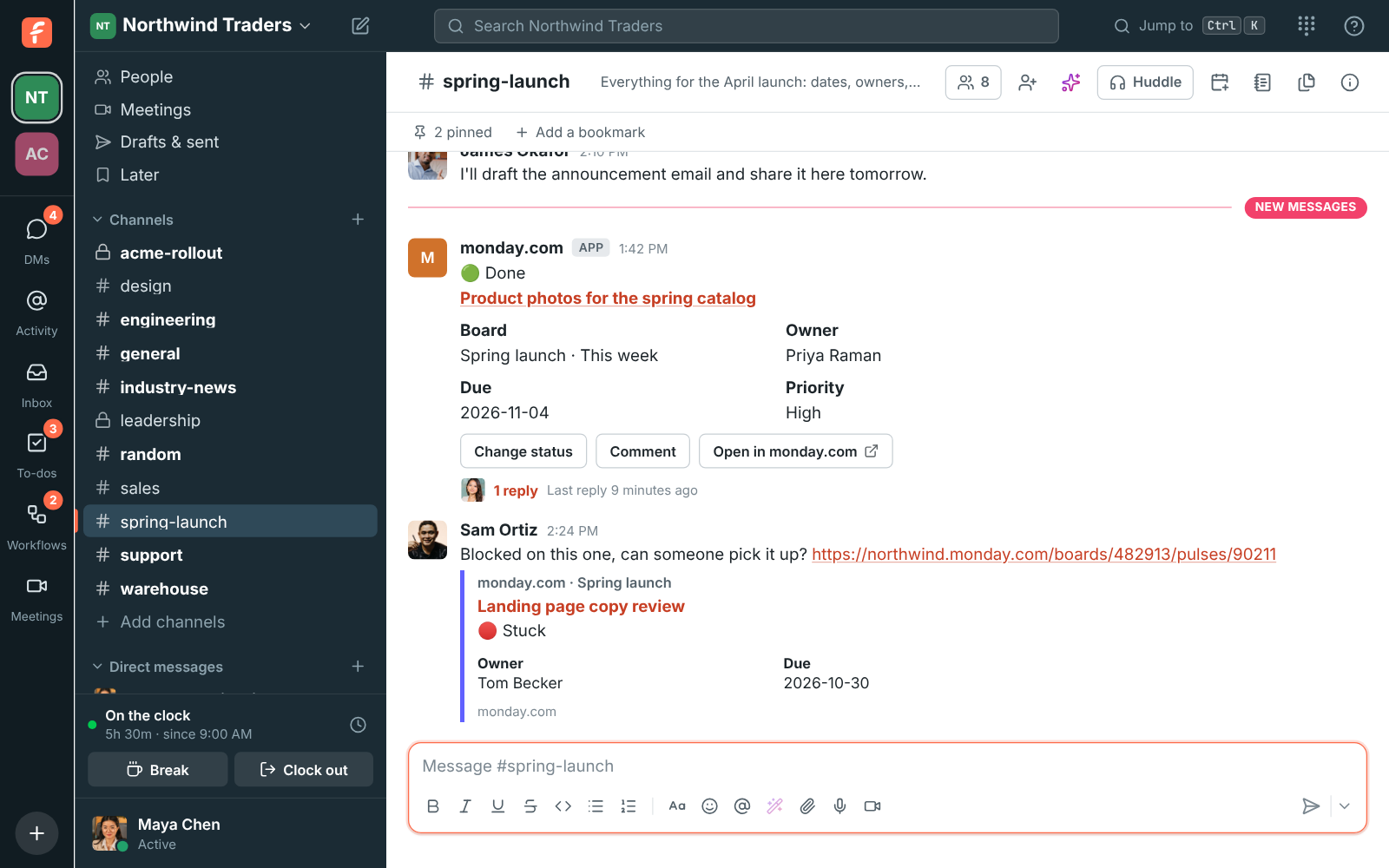
monday.com posts as its own member, monday.com, so its cards are easy to tell apart from people.
Connect monday.com
Section titled “Connect monday.com”Only owners and admins can connect it. Freesbe acts in monday.com as the person who connects it, so connect with a monday.com account that can open the boards your channels will follow, and add items and updates to them.
- Open Workspace settings → Integrations & apps → Integrations → Projects and click Connect monday.com.
- monday.com asks you to allow Freesbe. Click Authorize.
- monday.com brings you back to Freesbe, which says monday.com connected.
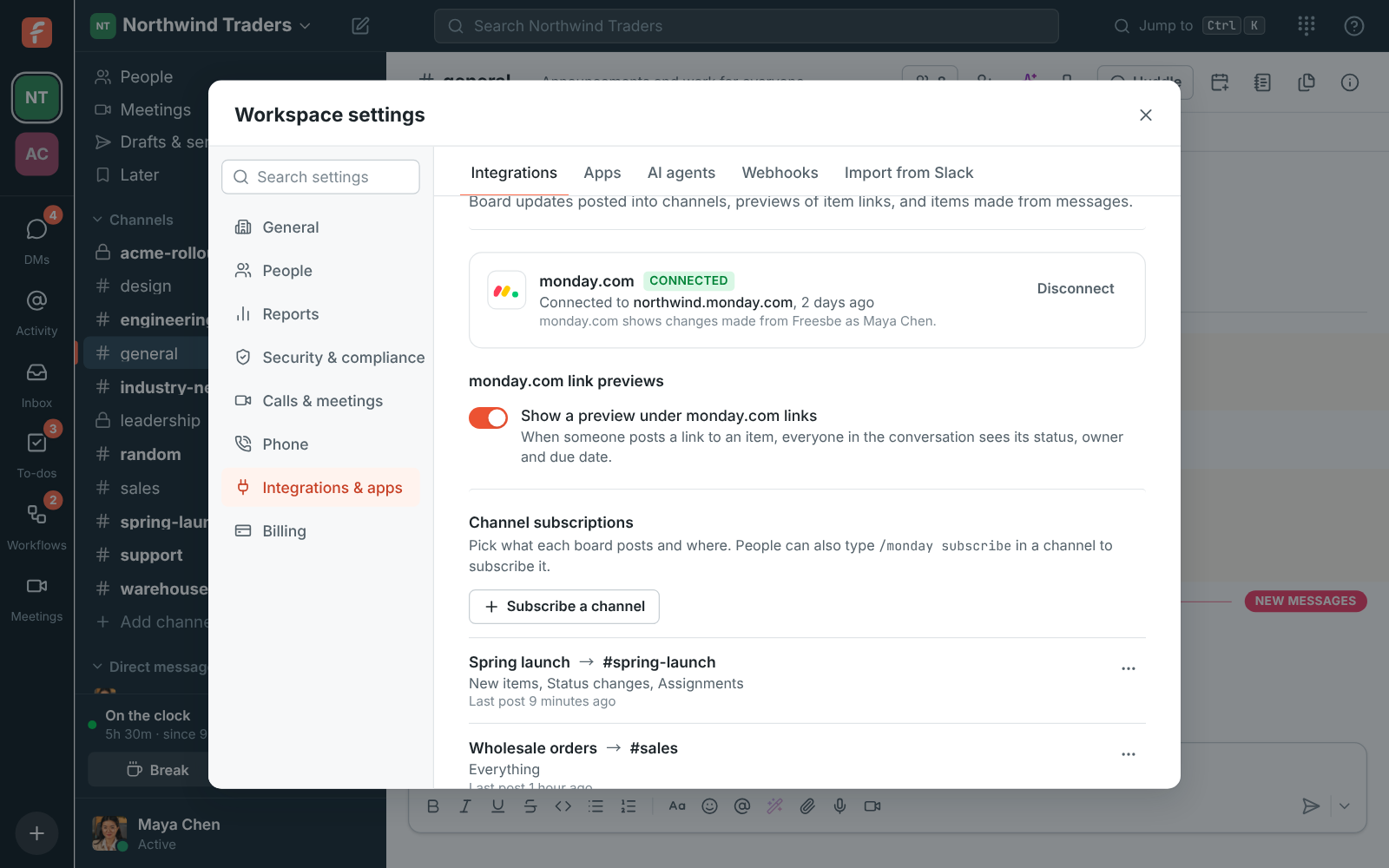
A workspace connects one monday.com account. Changes made from Freesbe show in monday.com under the connecting person’s name, with an update saying who in Freesbe made them. To stop, click Disconnect: Freesbe removes its webhooks from your boards, and cards, previews, /monday and Create monday.com item stop. To remove Freesbe’s access in monday.com too, uninstall it under Apps in monday.com. If it’s uninstalled there first, Freesbe shows Needs reconnecting until someone connects again.
Subscribe a channel
Section titled “Subscribe a channel”A subscription says which board posts into which channel, and what about. Add one in either place:
- In settings: under Channel subscriptions, click Subscribe a channel, pick the board and the channel, and tick what to post.
- In the channel: type
/monday subscribe Spring launch, with the board’s name. Anyone in the channel can do it, for a board the connecting person can open.
A new subscription posts new items, status changes and assignments. You can also pick comments:
| Pick | Posts |
|---|---|
| New items | A card when an item is added to the board |
| Status changes | A reply under the item’s card when its status changes, like Stuck → Done |
| Assignments | A reply under the card when someone is made its owner |
| Comments | A reply under the card for each update written on the item |
To keep a busy board quiet, list statuses under Only these statuses, like Stuck, Done: only
moves to one of them post. In the channel, add them after a bar:
/monday subscribe Spring launch | status status:Stuck status:Done.
An item that changes before it has a card in the channel gets one then. Open a subscription’s ⋯ menu to Post a sample card, Edit it, turn it off for a while, or delete it.
The cards
Section titled “The cards”An item’s card shows its name, its status, the board and group it’s in, its owner, its due date, and its priority when the board has one. The dot by the status follows the label’s colour in monday.com: 🟢 for Done, 🟠 for Working on it, 🔴 for Stuck, and so on.
When monday.com sends the same change twice, it’s posted once. Cards stay current for 90 days; after that, a new change to an old item posts a new card.
Act from the card
Section titled “Act from the card”- Change status asks for the new status, from the labels the board’s status column has. The item changes in monday.com with an update saying who changed it (Status changed to Done from Freesbe by Maya Chen), and the card changes right away.
- Comment asks for a comment and adds it to the item as an update, signed with your name.
- Open in monday.com opens it in your browser.
Anyone in the channel can use them, without a monday.com account of their own.
Create an item from a message
Section titled “Create an item from a message”In any message’s ⋯ menu, click Create monday.com item (or type /monday create). Pick the
board and group, and Freesbe fills in the item’s name from the message for you to change. You can
also pick an owner and a due date. The boards the channel is subscribed to come first.
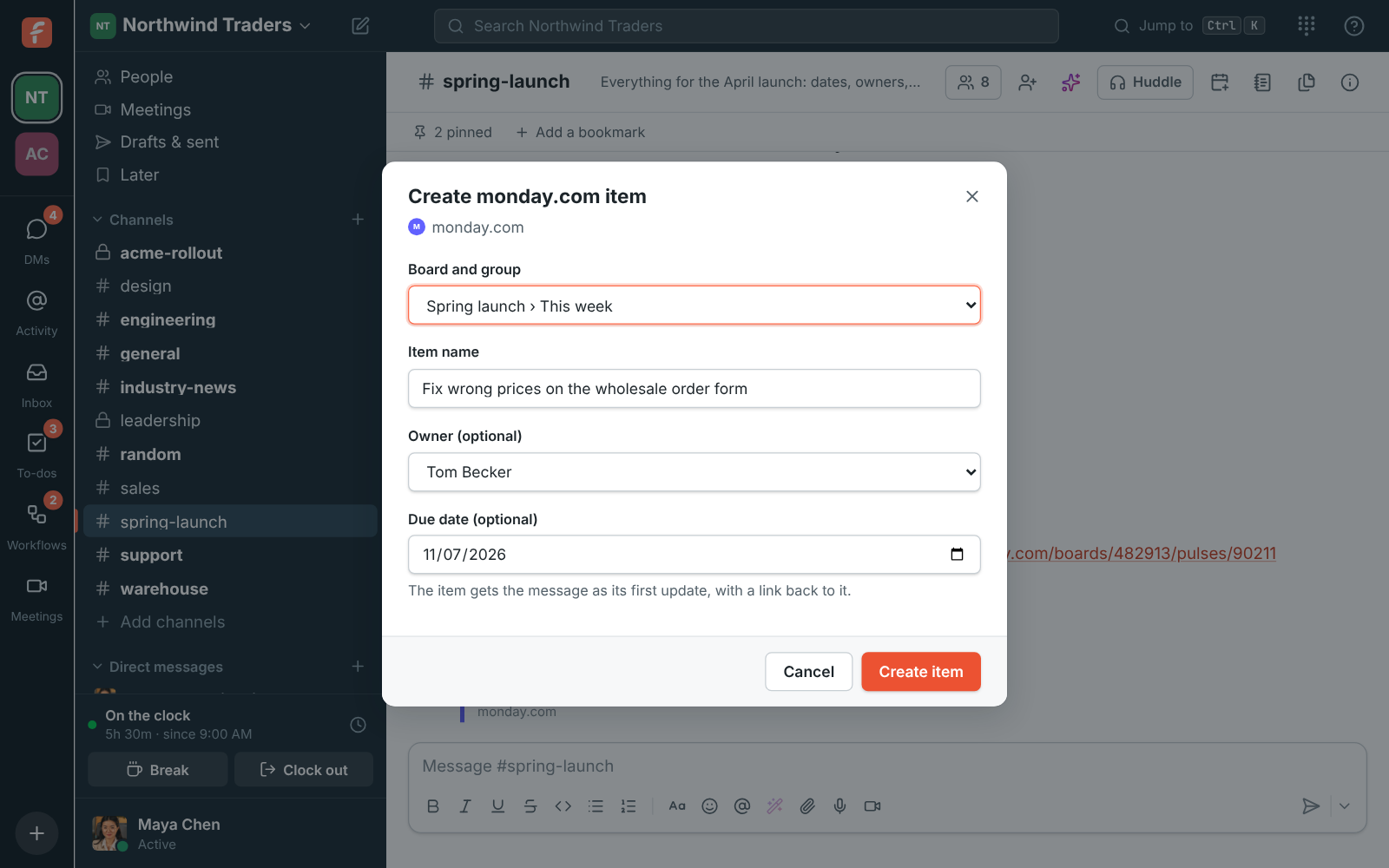
The message becomes the item’s first update, with a link back to it, and the item’s card is posted in the message’s thread, so the conversation and the item point at each other.
Link previews
Section titled “Link previews”When someone posts a link to an item in your connected account
(https://your-company.monday.com/boards/…/pulses/…), Freesbe adds a preview under the message
with its name, board, status, owner and due date. A message gets up to three previews. Links to
other monday.com accounts get none.
Previews come from the connecting person’s access, so people see items they might not be able to open in monday.com. Turn off Show a preview under monday.com links if you’d rather they didn’t.
/monday
Section titled “/monday”| Command | Does |
|---|---|
/monday subscribe BOARD [| features] |
Subscribes the channel, optionally to the features listed |
/monday unsubscribe BOARD [| features] |
Stops some or all of what it posts |
/monday list |
Lists what this channel follows |
/monday create |
Opens a new item |
/monday help |
Shows these |
Name a board by its name or its number. The features are created, status, assigned and
updates; add status:Done to only post moves to that status.
Privacy
Section titled “Privacy”Freesbe keeps your account’s address, which boards each channel follows, and the access monday.com gives it, encrypted. It reads items only to show cards and previews. monday.com sends Freesbe changes through webhooks on the boards your channels follow, to an address that doesn’t name your workspace.
Troubleshooting
Section titled “Troubleshooting”- Connect monday.com is greyed out: monday.com isn’t set up on this server yet.
- Nothing posts: check the connecting person can open the board, and that the subscription is on. Post a sample card checks the channel side.
- A link gets no preview: it’s in another monday.com account, or previews are off.
- Change status isn’t on a card: the board has no status column.
- Wrong account: click Disconnect and connect again, signed in to the other account.
Answers come from the Freesbe guides and are written by AI, so check the linked guide before relying on one. Please don't include personal details such as emails or passwords.